Local AI on your PC.
No cloud. No command line.
Chat with AI, generate images, and create videos — all running privately on your own NVIDIA GPU. One installer. Everything just works. Completely free.
Features
What it does
Chat
LLM conversations powered by llama.cpp. Runs fully offline.
FreeImage gen
Stable Diffusion, SDXL, Flux. Generate anything locally.
FreeVideo gen
Wan 2.1 text-to-video. No API keys. No usage fees.
FreeBenefits
Why local?
Your data never leaves your machine
No prompts logged. No images uploaded. Nothing sent to any server.
No usage fees, ever
Generate 10,000 images or 1 — the cost is the same. You own the GPU.
Works offline, always
No internet connection required after setup. No outages, no rate limits.
Getting started
Up and running in minutes
Download and run the installer
One .exe. No dependencies to install manually.
Berserker detects your GPU
Shows exactly what your hardware supports. No guesswork.
Everything installs automatically
WSL2, CUDA, llama.cpp, ComfyUI, and a starter model — all streamed live with progress output.
Start chatting
Open the app and you're running local AI. That's it.
Product
See it in action
From install to AI in minutes — here's exactly what the experience looks like
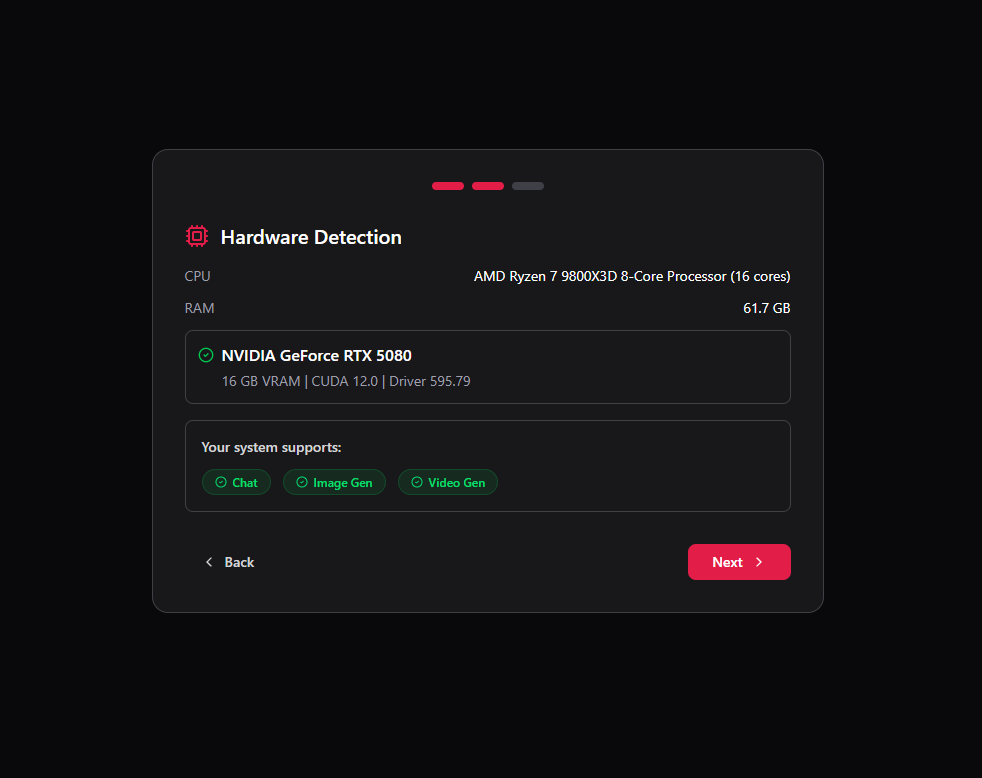
Berserker detects your GPU and tells you exactly what it can do
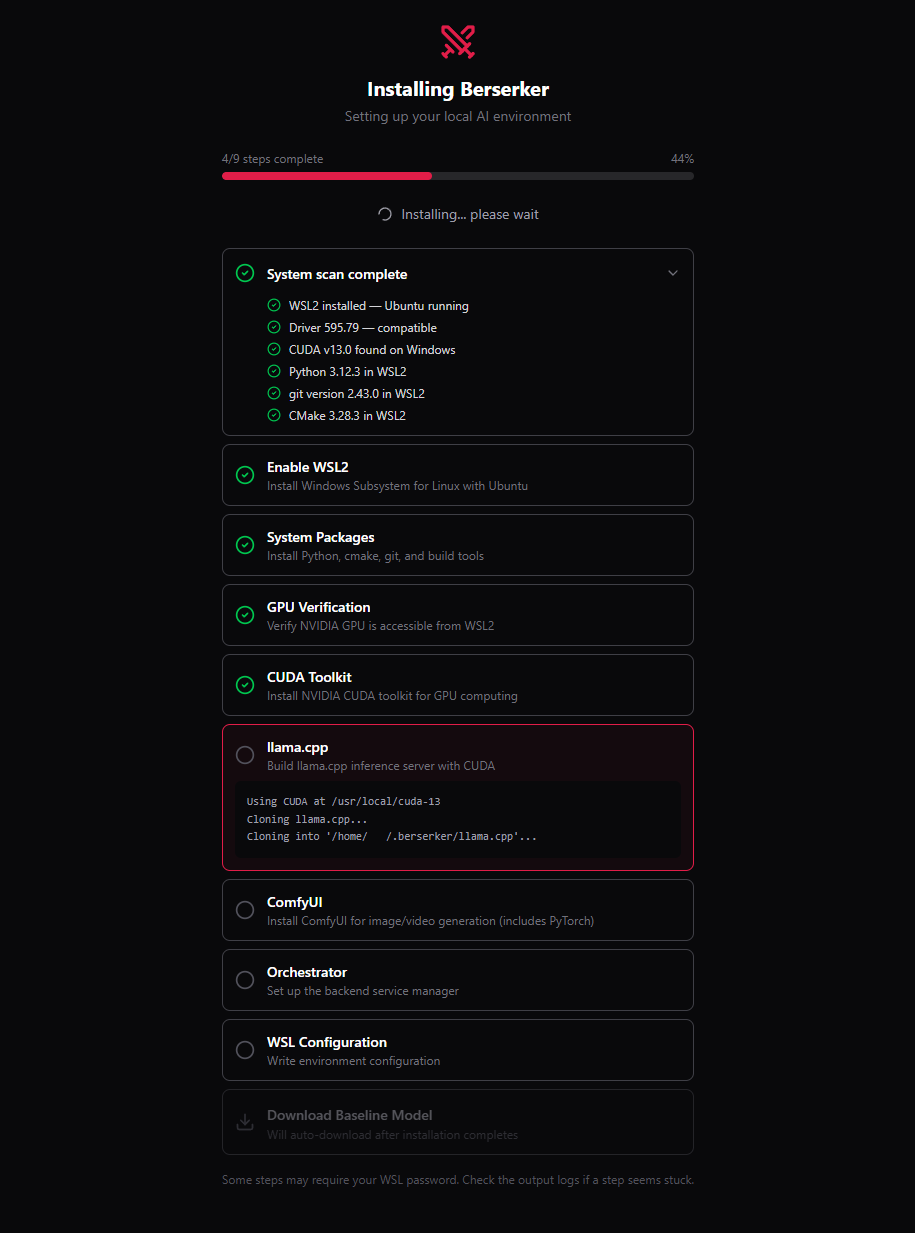
One click installs everything — WSL2, CUDA, llama.cpp, ComfyUI
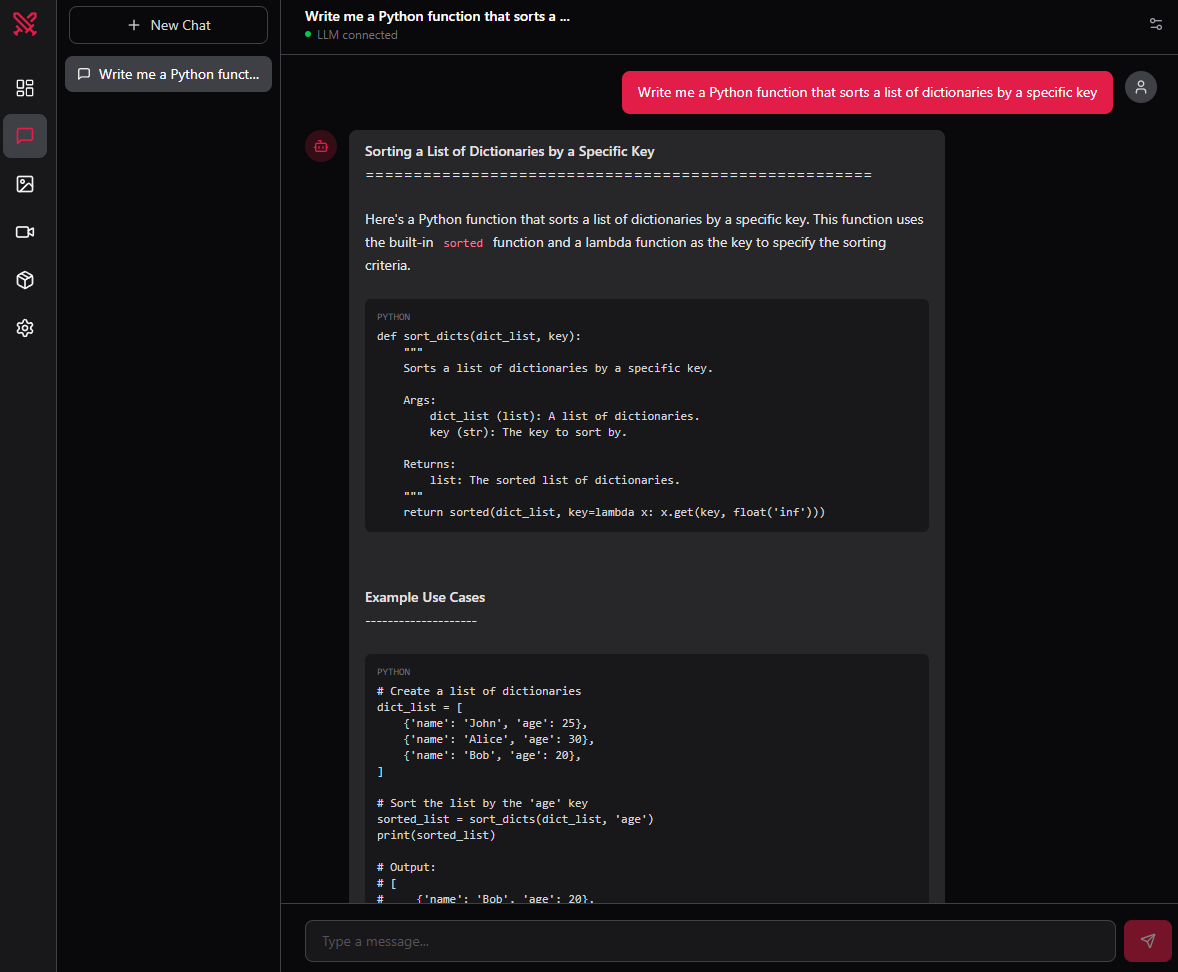
Chat with any LLM locally — fully offline, no data leaves your machine
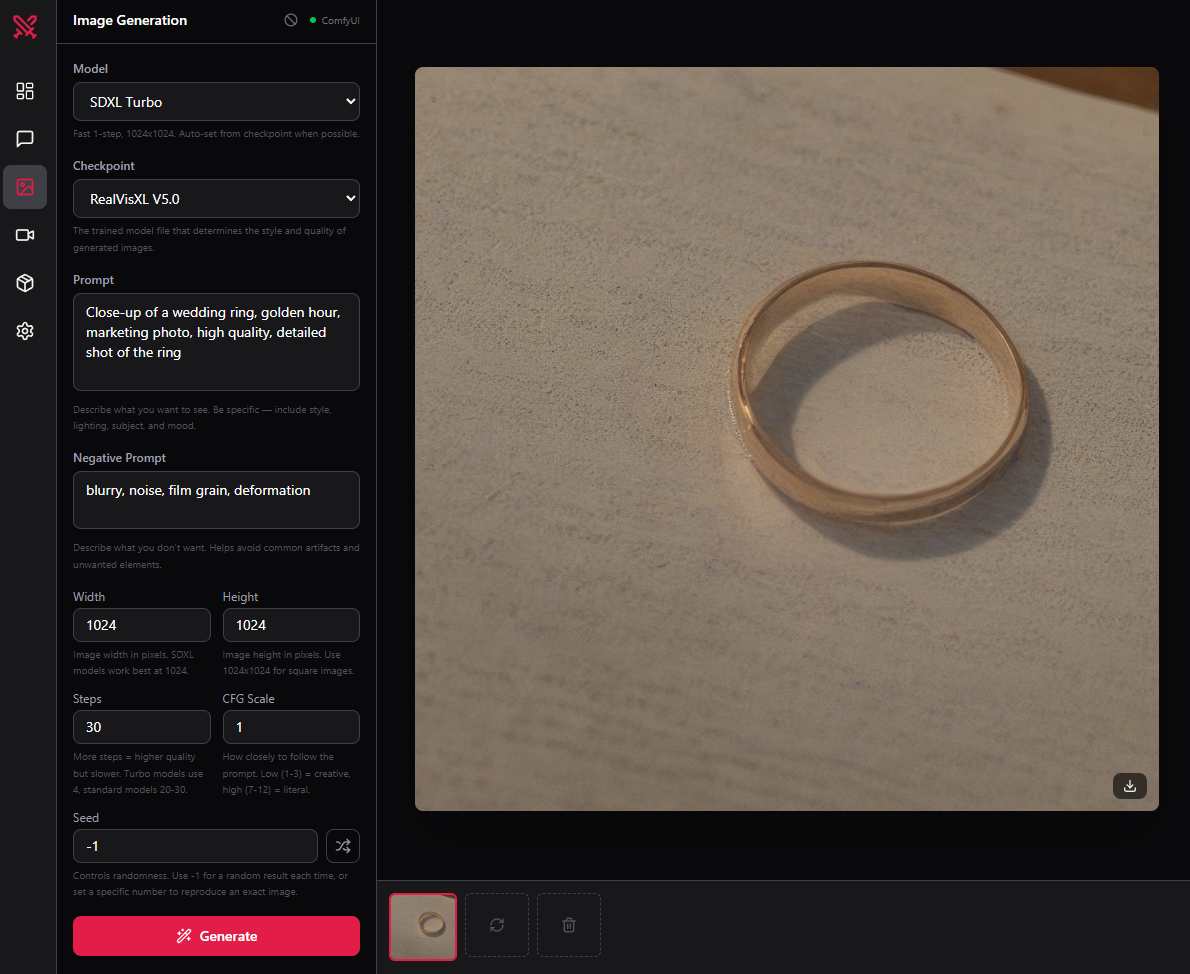
Generate images with Stable Diffusion, SDXL, and Flux on your own GPU
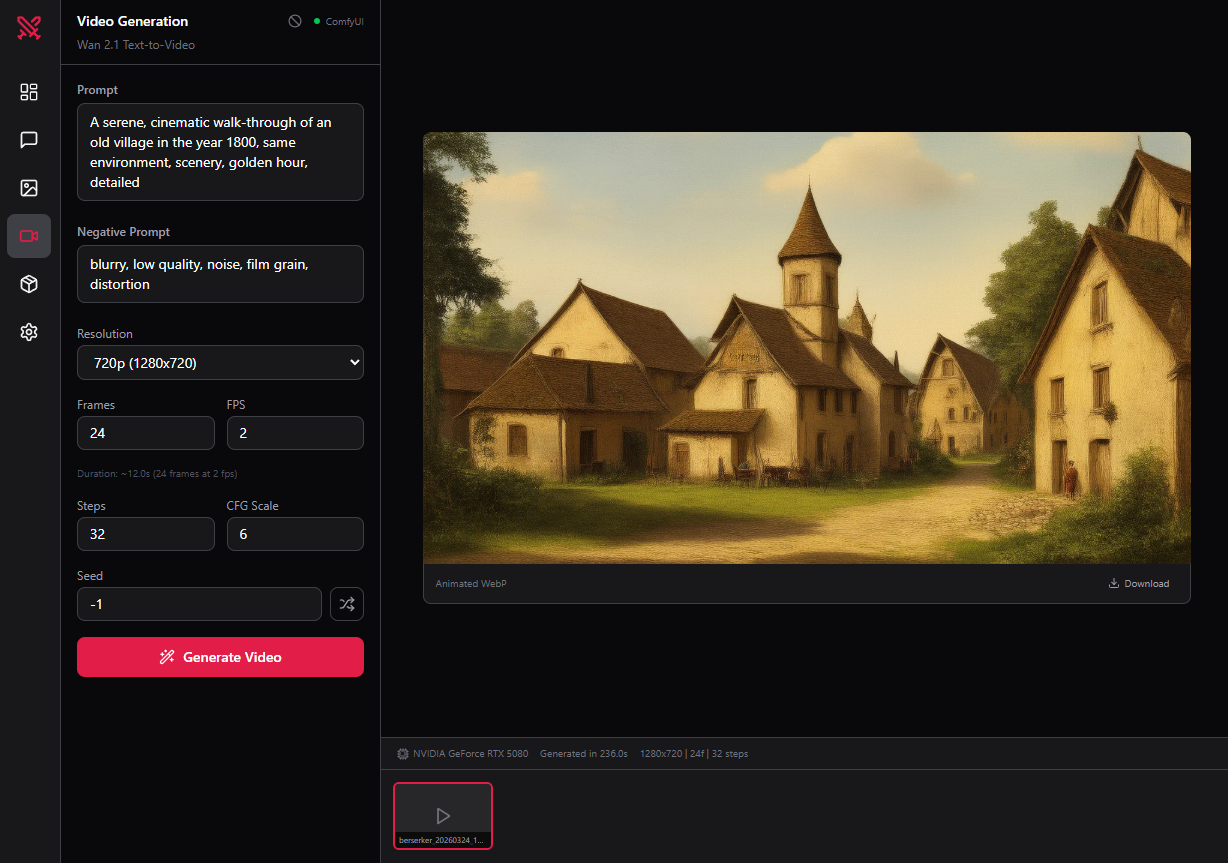
Create videos from text with Wan 2.1 — no cloud, no fees
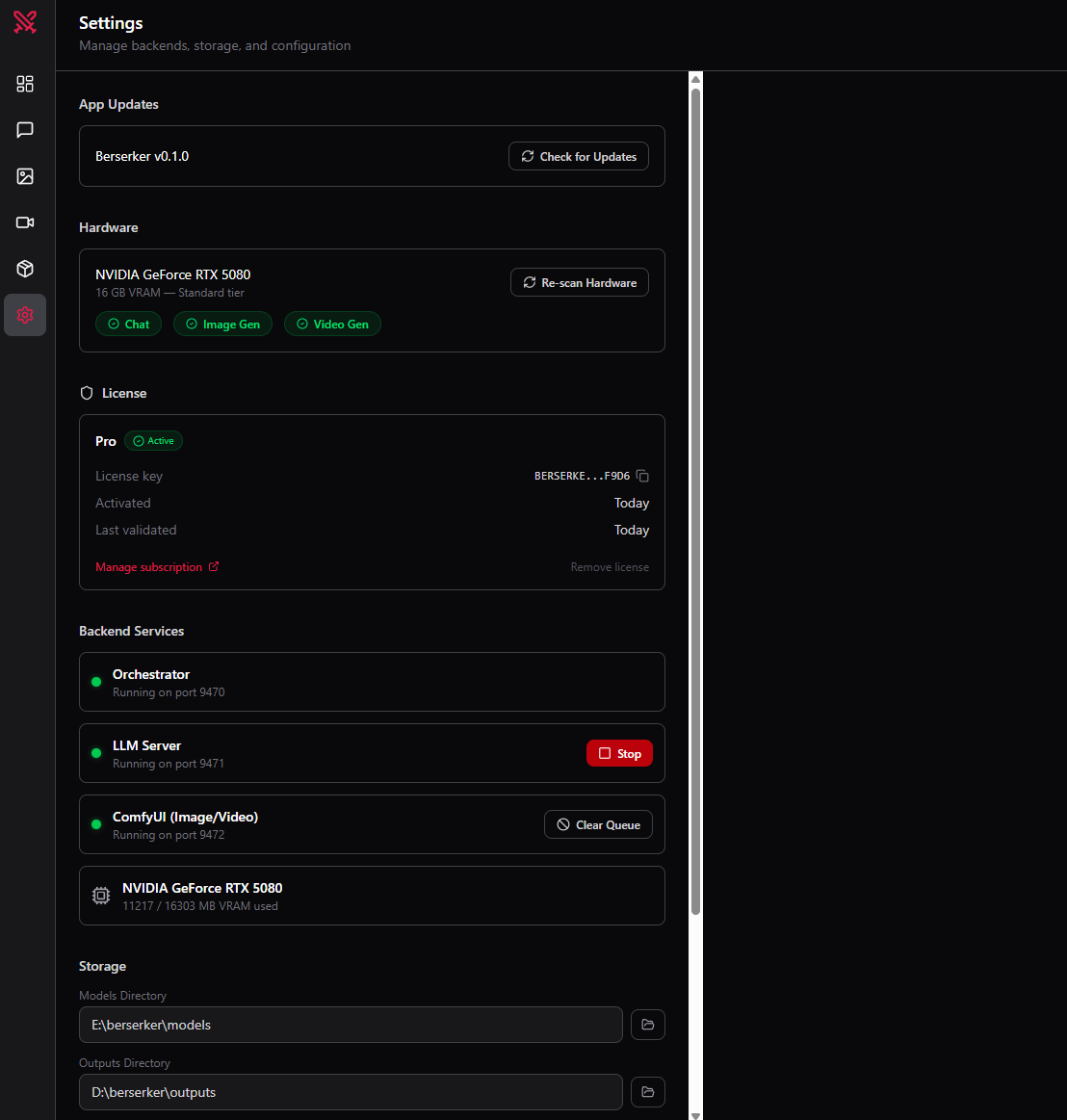
Manage your models, settings, and storage paths in one place
Compatibility
What your GPU can do
Don't know your GPU? Berserker detects it automatically on first launch.
FAQ
Common questions
Does it work without the internet?
Yes. After the initial setup, Berserker runs completely offline.
Do I need to know how to use the command line?
No. Berserker handles everything — WSL2, CUDA, model installs — through a graphical interface.
My GPU isn't on the list — will it work?
Berserker requires an NVIDIA GPU (RTX 3060 or newer) with at least 8 GB VRAM. AMD GPUs are not supported yet.
What happens to my data?
Nothing is sent anywhere. All AI runs on your machine. Berserker has no telemetry and no cloud backend for AI processing.